Cubicl
Send the First Email from Cubicl, Set the Portal to Inactive, and More
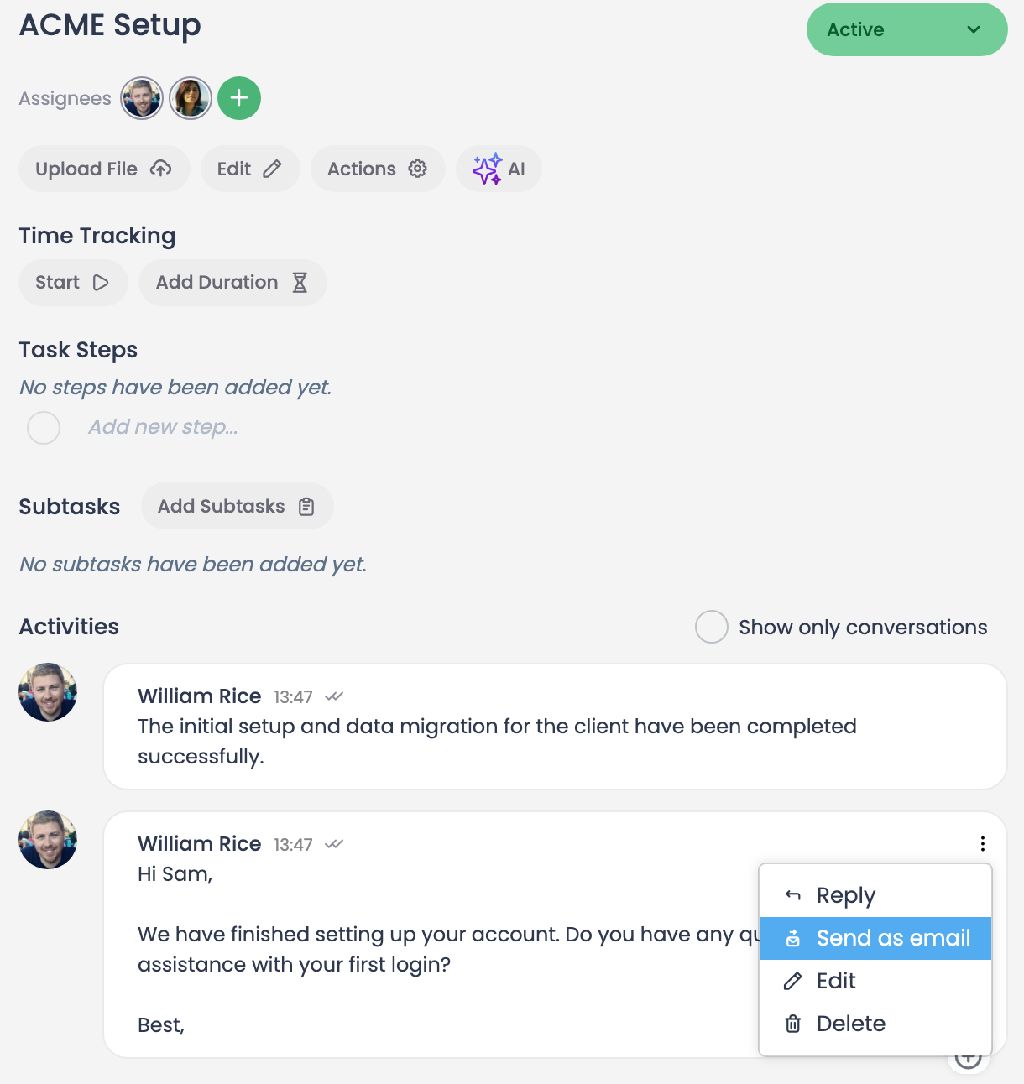
📧 Direct Email Sending from Within Tasks: You can now initiate email flows directly from within your tasks. Recipient information auto-populates based on the client in the task; if you email someone not in the system, Cubicl instantly creates a new client record for you.
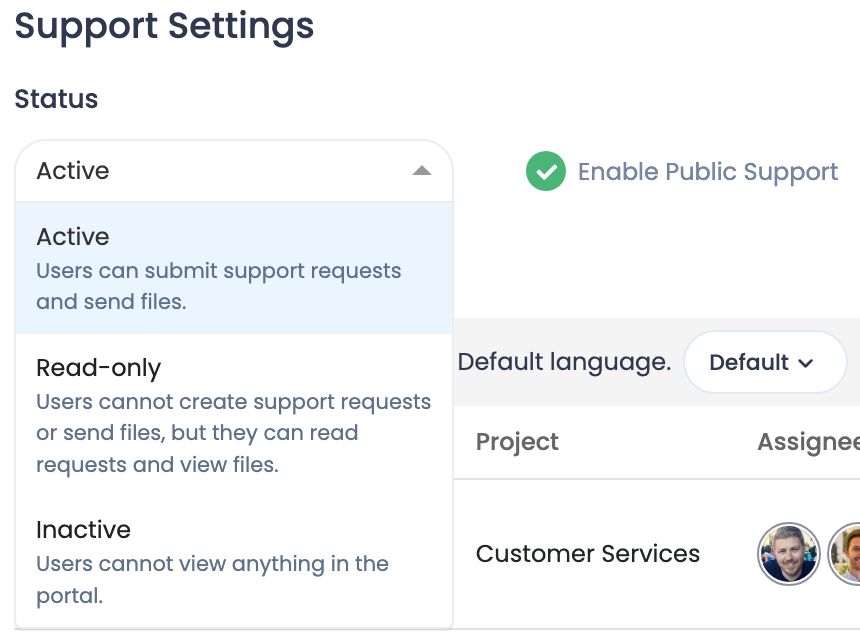
🔒 Setting the Client Portal to "Read-Only" or "Inactive": If you do not want your clients to open new tickets or send messages through the portal, you can easily manage communication by changing the portal status to "Read-Only" or "Inactive".
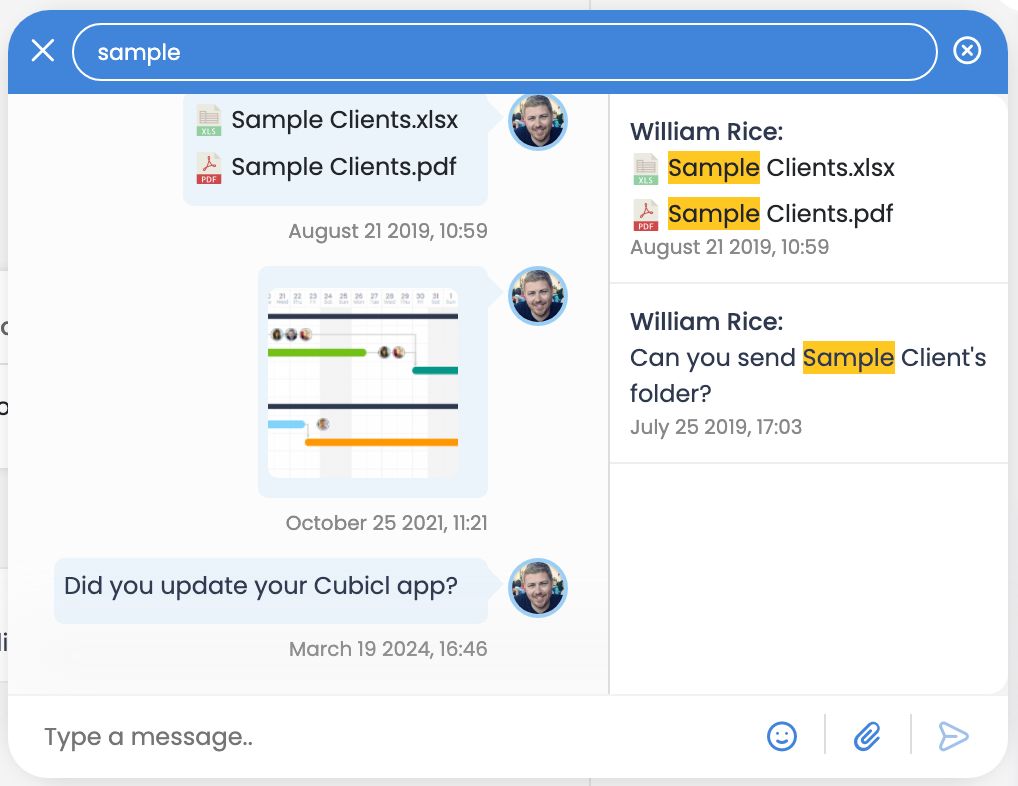
🔎 File Name Search in Chats and Seamless History Navigation: We have included file names in the chat search history, making it much faster to find the documents you need. Additionally, when searching through past messages, you can scroll continuously both up and down, and return to the newest message with a single click using the "Jump to Present" button.
📊 Adding Support and Email Ticket Numbers to Reports: Ticket numbers for your support requests and email tasks now appear directly in your reports. Matching and analyzing records is now much more practical.

⚙️ Quick Subtask Management on a Single Screen: We have sped up subtask management! We reduced the number of clicks by consolidating the actions of creating a new subtask, selecting one from the list, or copying an existing one, all onto a single screen.
🔐 Authorization Control for Email Inboxes: You can now set access permissions for the email inboxes you have integrated into Cubicl. By customizing permissions as "Everyone", "Assignees", "Custom List", or "Mailbox Owner", you can securely ensure that your team only sends emails from the accounts they are authorized to use.
ENHANCEMENTS:
-We changed the design of Actions menu in tasks.
-We have removed the 30-character limit for organization names.
😃 1
Follow us
If you are interested in hearing about new features in our product