Cubicl
Quick Access to Past Recurring Tasks, Multiple Selection Lists in the Form, and More.
Advanced Control for Recurring Tasks
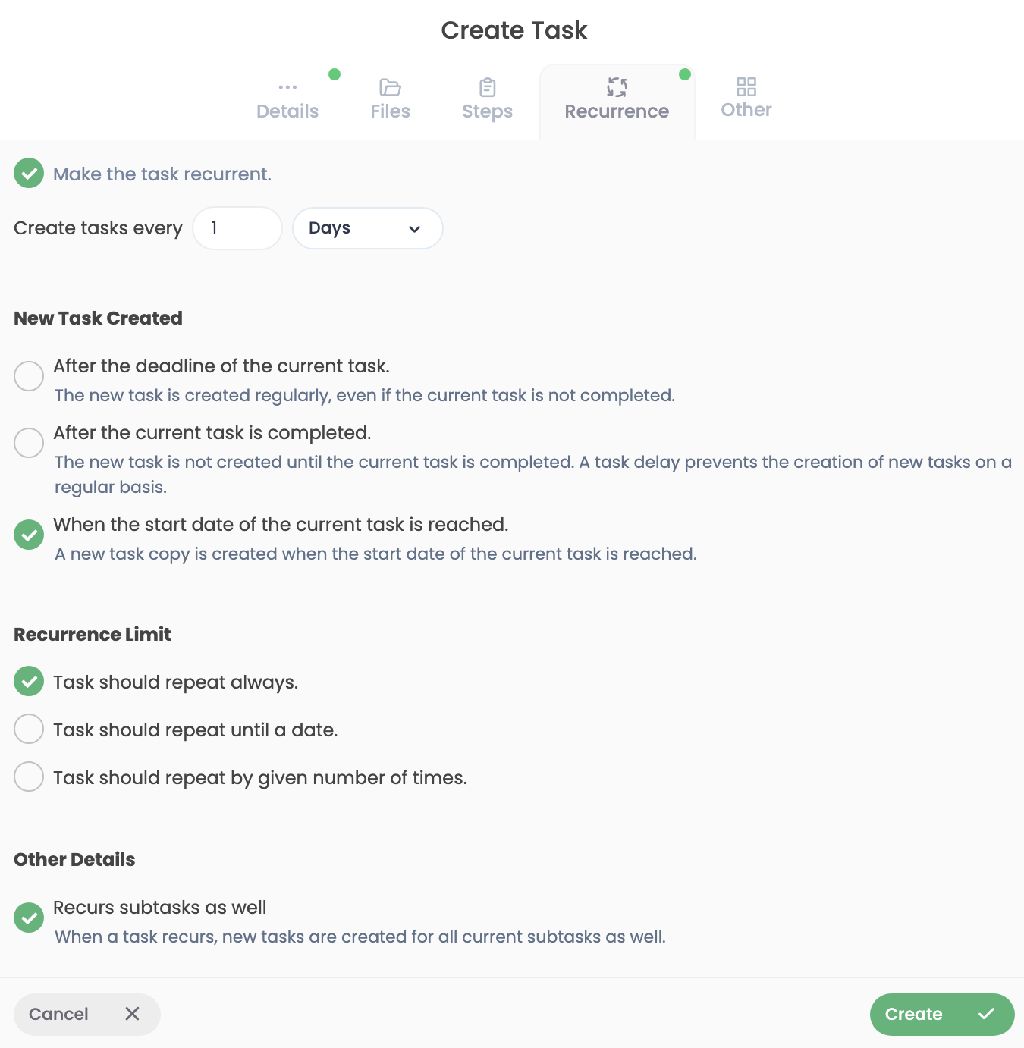
New Recurrence Trigger: Added a "When start date is reached" option to recurring tasks. A new task copy is now automatically generated exactly when the start date hits.
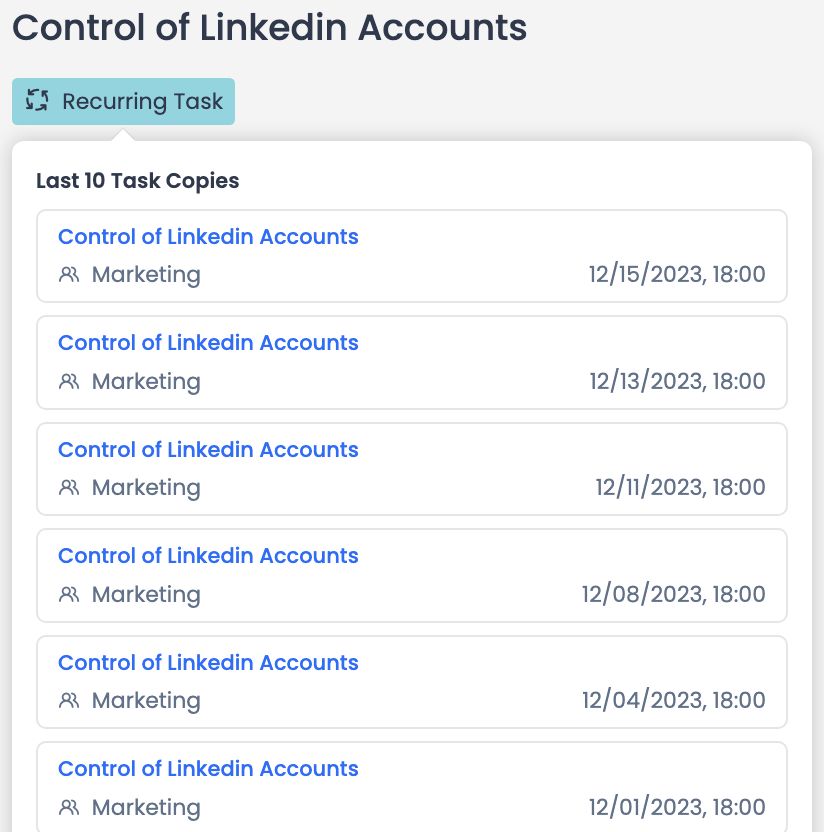
Quick Access to Previous Copies: Added a "recurring task" label under the task name in task details. Clicking this label displays the last 10 copies of that task, allowing you to easily access historical records.
Smart File and Folder Management
Deep File Search: If your search comes up empty in the project's Files page, you can now use the "Search in all directories" button to expand your query. Plus, you can instantly jump to a file's location using the new "Go to Containing Directory" option in the search results menu.
Duplicate File Handling: When uploading a file with an existing name, a smart warning now appears. You can easily choose to either "Replace the old one" or "Rename the new one".
Folder Summaries: Folder icons now display the total number of files they contain along with their total size at a glance.
Multi-Select Support in Forms
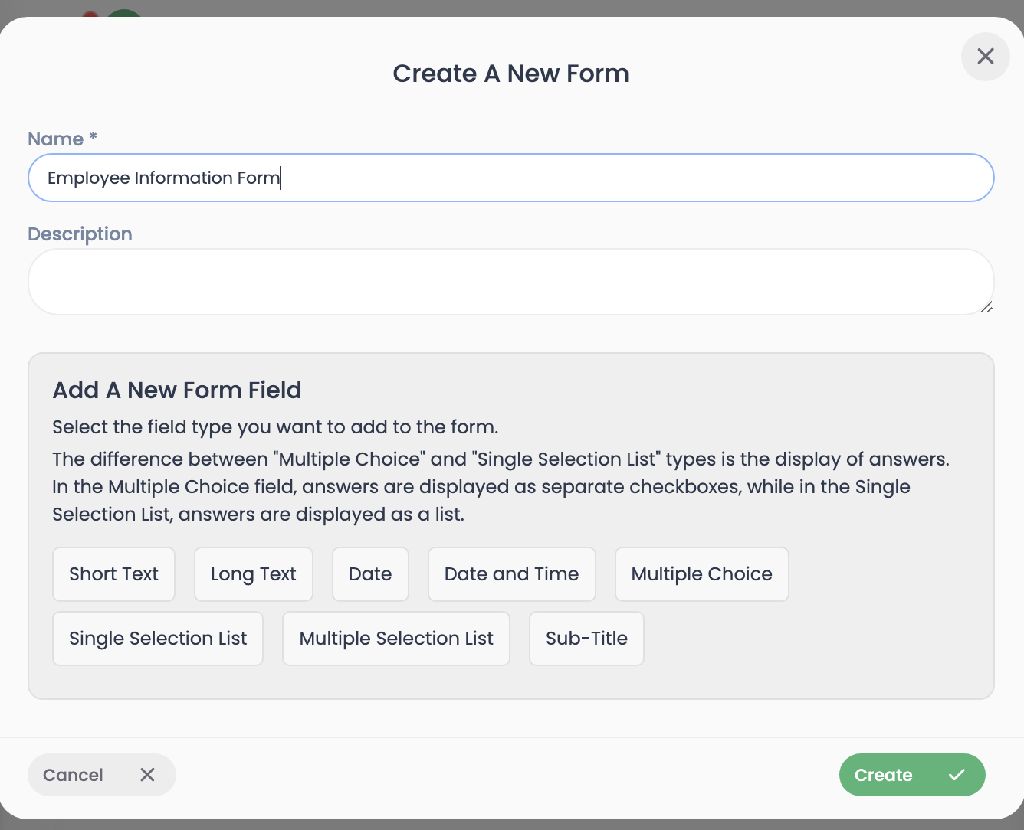
Added a "Multi-select list" field type to the forms. You can now allow users to select multiple options simultaneously when filling out your forms.
Cancelled/Suspended Status in Reports
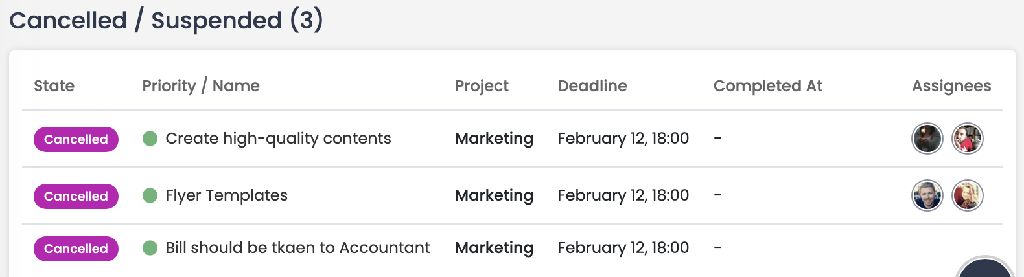
Added a dedicated "Cancelled/Suspended" section for tasks under Reports > Tasks > By Status. This detailed breakdown is also included when you export your reports.
Improvements & Bug Fixes
- Nested Auto-Archiving: Fixed an issue where the auto-archive feature in projects was only archiving 1st-level subtasks. It now correctly archives all subtasks across all nested levels.
- Dynamic Email Record Sync: Added a logic to update associated Email user records whenever client links are updated.
Follow us
If you are interested in hearing about new features in our product