Cubicl
Emojis for Comments, Tag-Based Reports and more
Task Reactions & Emojis: You can now leave emoji reactions on task posts. This keeps the activity log clean and concise, while still instantly notifying the other party of an approval, acknowledgment, or rejection.

Default Task View: Project managers can now set a default task view (Kanban, List, By Members, etc.) for each project. This chosen layout will serve as the default experience for all project members.
Export Form Responses to Excel: Easily download form submissions in Excel format with a single click. Use the export buttons located on the task detail's form card and the main forms page to speed up your reporting and data management processes.
Subtask Copying Prompt: We've added a confirmation step when copying tasks that contain subtasks. You can now choose whether to include the subtasks in the copy, preventing unnecessary task clutter.
Form Support for Custom Actions: You can now integrate forms directly into Custom Actions. When a user triggers a custom action within a task, a form will prompt them to input additional required data before the process can advance.
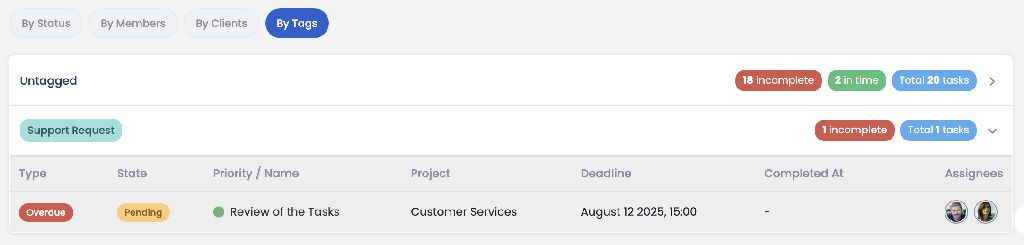
Tag-Based Project Reports: You can now filter and view project reports based on tags. This organized view is also perfectly reflected in your downloaded report files.
Tracking Numbers for Email Tasks: Just like support tasks, Email tasks now generate unique tracking numbers. You can use these numbers for quick searching across tasks and to streamline your automation workflows.

Hide Inactive Chats: Keep your messaging workspace tidy with the new "Hide chats without messages" option located in the action menu.
😃 1
Follow us
If you are interested in hearing about new features in our product