Cubicl
Detailed Projects with Projects Page
Until now, projects in Cubicl have been displayed as a pop-up from the navigation menu. Now, in addition to the pop-up view, you can also use the new Projects Page to manage your projects in greater detail.
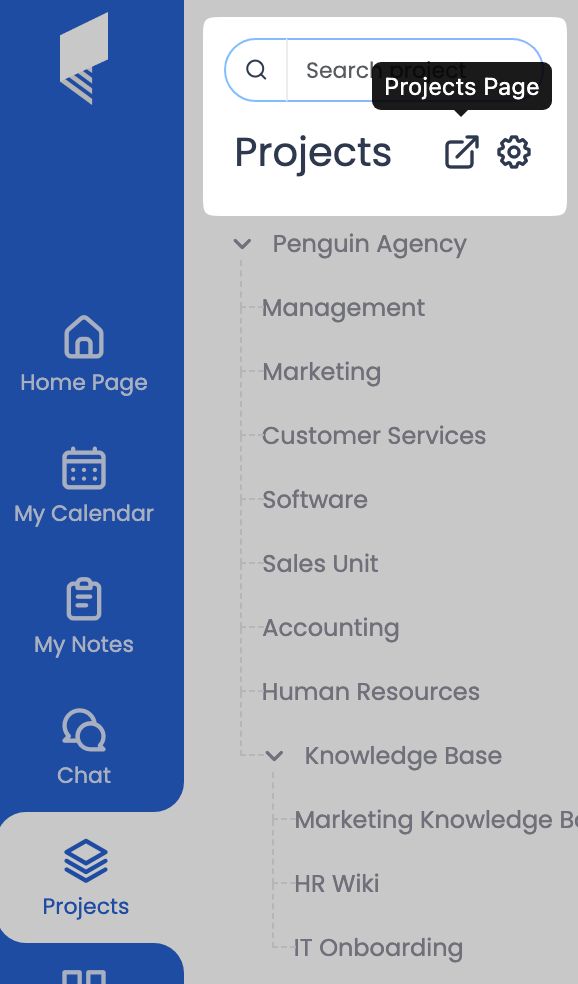
What Can You Do with the Projects Page?
- Manage your projects from a dedicated Projects Page instead of the pop-up view.
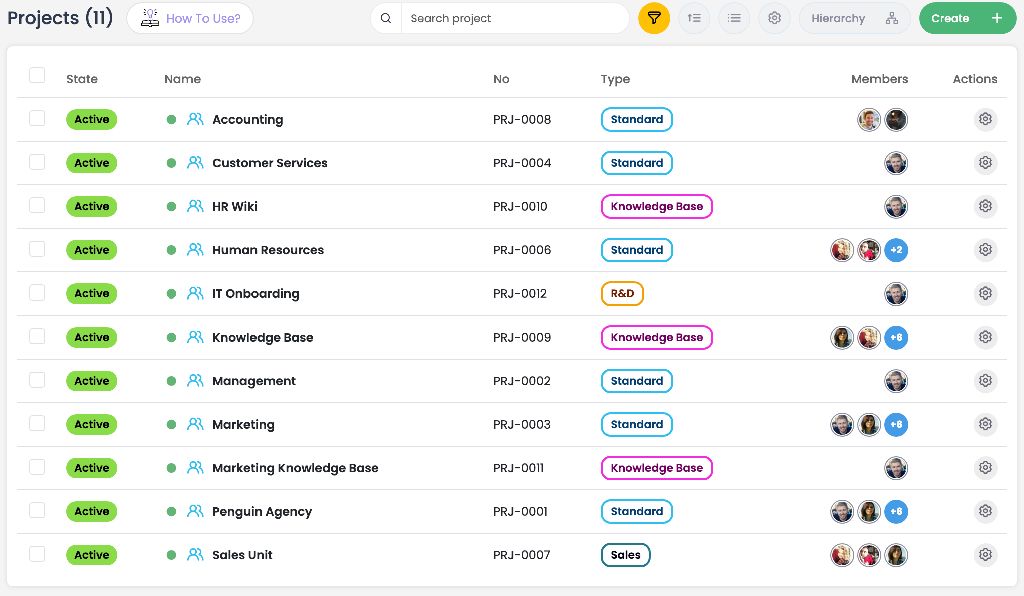
- Add fields such as Project Type, Project Number, Status, Priority, and Completion Percentage to your projects.
- Create custom fields that fit your needs, such as Budget, Estimated End Date, or Document Link.
- Archive or restore one or multiple projects at once.
- Hide projects from the navigation to keep your workspace cleaner and more organized.
- Quickly find projects by filtering them based on status, customer, priority, and other fields.
Permissions
The Projects Page can be viewed by all members of the organization. However, only Project Managers have permission to edit projects.
A user who is assigned as the manager of a project can edit that project and all of its subprojects. For example, the manager of a parent project has permission to edit every project within its hierarchy. If you are not a manager of a project, you cannot make any changes to it.
Follow us
If you are interested in hearing about new features in our product