Cubicl
Add Reminders for Everyone, Bulk Actions in Archive, Do Not Disturb Mode, and More
Set Your User Status on Your Profile
Right-click your profile picture to show if you're in a meeting, busy, or on leave. Use the timed "Do Not Disturb" mode when you need deep focus.

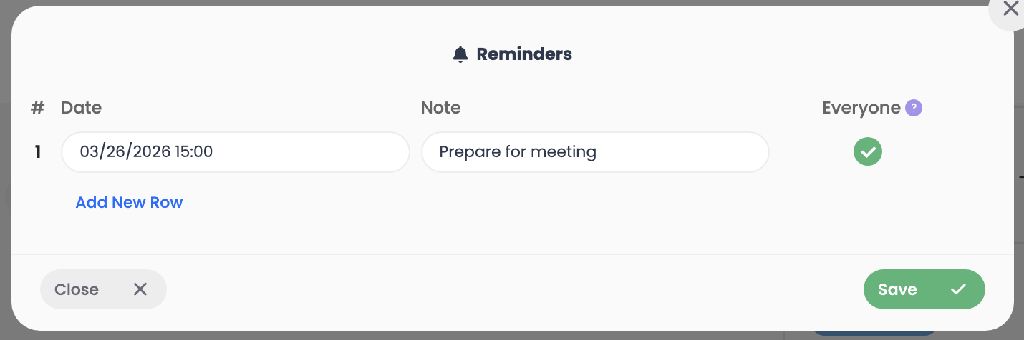
Share Reminders with All Task Followers
Set reminders for everyone on a task, not just yourself. You can also view past reminders and get browser push notifications.
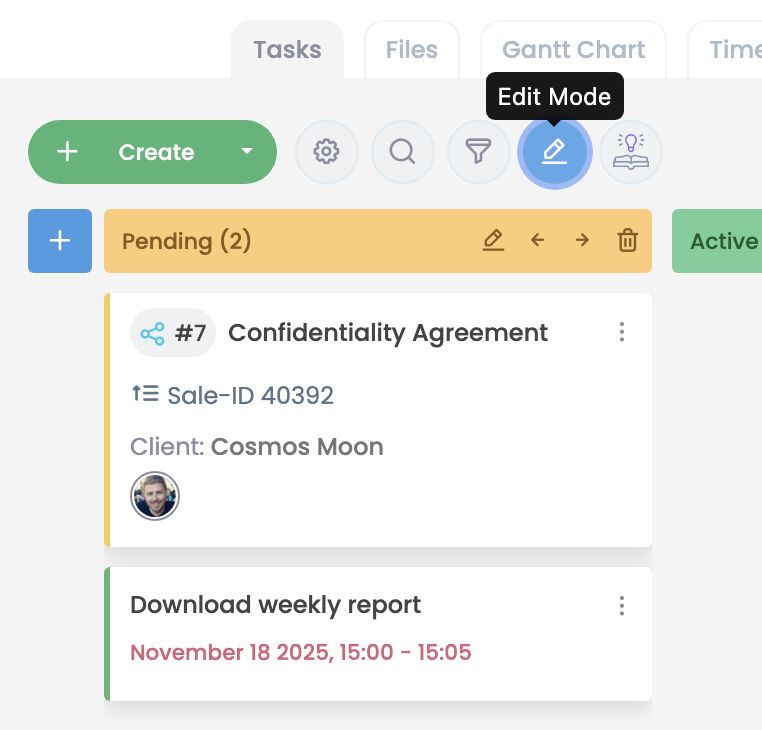
Edit Stages Directly on the Kanban Board
Add, update, or reorder workflow stages right from the board, without needing to open project settings.
Perform Bulk Actions on Archived Tasks
Save time by bulk restoring, deleting, or copying tasks directly from your archive.
Move Files Between Different Projects
Use the new dropdown menu to easily transfer files or folders from one project to entirely different ones.
Filter Client Tasks Exactly How You Want
Hide archived tasks and choose exactly which columns (like name, project, date) to display in client profiles.
Use New Webhook Triggers
We've added "Notification Received" and "Chat Message Received" events to enhance your automations.
IMPROVEMENTS
Prevented Chat Interruptions: New chat windows now open on the left side of the screen.
Made Account Deletion Safer: To prevent accidental deletions, removing an account now requires your password plus explicitly typing "permanently delete" to confirm.
Added a Cancel Button to Email Tasks: You can now easily back out of editing recipients in email activities with the newly added "Cancel" button.
Improved the Task Editing Experience: We added a "Cancel" button when editing task steps, and we enlarged the save and delete icons to make them easier to click.
Follow us
If you are interested in hearing about new features in our product